







SecureData · File-level Encryption
Future-Proof Encryption
That Follows Your Data
SecureData automatically encrypts every file at the moment of creation. Whether stored on OneDrive, file servers, or backups, your data remains PQC-fortified ciphertext—accessible only by authorized users and invisible to future quantum threats.
Why SecureData?
SecureData is built on Public Key Infrastructure (PKI). Each user has a unique key pair – a public key used to encrypt and a private key used to decrypt. Certificates are issued using industry-standard algorithms and the design is Post-Quantum Crypto (PQC) ready.
not disk-centric
Protection is attached to each file, so security follows data wherever it goes.
not disk-centric
Protection is attached to each file, so security follows data wherever it goes.
Even if servers or backups are compromised, attackers only get ciphertext.
No new steps for end users – encryption is enforced in the background.
SecureData:
Endpoint File Encryption
Always-on file encryption for endpoints and servers—without changing how users work.
PKI Encryption
Certificate-based encryption protects files without relying on shared password
Effortless
Encryption and decryption run automatically in the background — users keep working as usual
Ownership
Sharing doesn’t mean losing control — owners can revoke access to encrypted folders anytime
Compliant
Protect sensitive data to support compliance needs
Persistent
Encrypted files stay protected wherever they go — shared drives, USB or attachments —until an authorised user decrypts
Data Problems

Files go everywhere

Files go everywhere
Endpoints, OneDrive, file servers, USBs and backups – data constantly moves and multiplies.

Storage Security Isn’t Enough

Storage Security Isn’t Enough
A compromised platform, backup or admin can still see plaintext data if only storage is protected.

Manual tools fail

Manual tools fail
Reliance on perfect human memory and diligence may disrupt workflows and create a gap in protection.
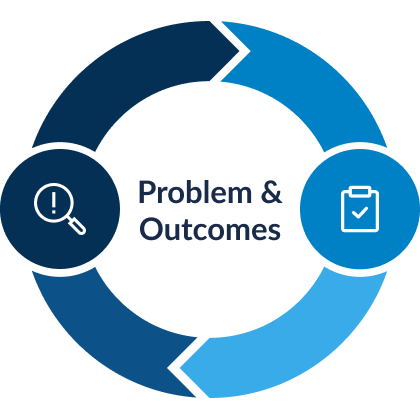
Data Outcomes

Always-on-encryption

Always-on-encryption
Files are encrypted by policy in protected paths, so every copy stays encrypted wherever it lands.

Safe platforms

Safe platforms
Cloud, storage and backups only store ciphertext; breaking infrastructure doesn’t expose the data.

identity-based access

identity-based access
Access follows keys and groups, enforced silently on the endpoint instead of relying on user action.
Core Controls in SecureData
Automatically protects files by encrypting them based on defined security policies, without requiring any user action.

Encrypt
Files in file paths are automatically encrypted

Plain
Files in file paths are automatically encrypted

Only authorised recipients can read it – everyone else (including admins) sees unreadable content

.docx → Microsoft Word only

.pptx → Microsoft Powerpoint only
How SecureData Protects Your Data
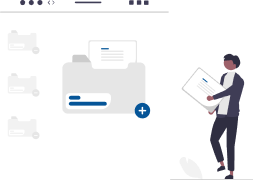
Alice creates and saves a document (e.g. workflow.docx) in a protected folder.
SecureData automatically encrypts the file in the background, no passwords and no manual action required.
Alice can copy, share, or upload the file. Wherever the file goes, it remains encrypted and unreadable to unauthorized users.
When Alice opens the file using Microsoft Word application, SecureData retrieves Alice’s private key and decrypts the content in memory, allowing normal reading and editing.
If another user tries to open the file without SecureData, without Alice’s private key, or without Microsoft Word application, the content cannot be decrypted or viewed in plain text.
Alice works normally, while everyone else sees nothing, data stays protected by default.
Use cases
SecureData is designed for environments where data must remain encrypted at all times – whether on endpoints, shared drives or in cloud storage. By reinforcing persistent, policy-based encryption, it ensures sensitive data stays protected regardless of where it resides or how it is accessed.
Here’s how SecureData delivers value across different industries:
Protect classified and operational data across ministries, defence, and critical infrastructure – ensuring it remains secure regardless of where it resides or how it is accessed.
- Instant File Protection: Automatically encrypts records so sensitive data is unreadable to anyone without authorized access.
- Security That Follows the File: Protection stays attached to your data across laptops, secure networks, and the cloud.
- Advanced Threat Defense: Guards against sophisticated cyber attacks and internal leaks where traditional barriers fail.
- Mission-Critical Continuity: Maintains high security standards without slowing down essential public service workflows.
Secure sensitive customer and transaction data across a complex threat landscape while maintaining seamless operations and regulatory compliance.
- Always-On Encryption: Protect customer records and financial transactions with automatic, data-centric security.
- Universal Data Safety: Secure information across all banking endpoints, shared internal systems, and cloud platforms.
- Regulatory Resilience: Meet strict financial data standards without adding friction to daily banking operations.
Protect sensitive personal data and academic records at the source, ensuring privacy across clinical and campus environments.
- Continuous Record Protection: Safeguard patient and student files with persistent, file-level encryption.
- Seamless Authorized Access: Enable staff and faculty to work efficiently without security getting in the way.
- Privacy & Compliance: Simplify healthcare and education data regulations by securing data wherever it is stored.
Protect valuable intellectual property and business-critical data without slowing down innovation or remote collaboration.
- IP Safeguarding: Protect your “secret sauce” and sensitive business data everywhere it travels.
- Leak & Insider Prevention: Stop data exfiltration and internal threats with security that stays attached to the file.
- Unbound Collaboration: Empower your team to work anywhere across OneDrive and Dropbox with total administrative control.
Frequently Asked Questions
What is SecureData?
SecureData is persistent file-level encryption that protects sensitive files automatically, so they stay encrypted even when copied, moved, or stolen.
Does encryption stay with the file when copied to USB/shared folders?
Yes. Protection follows the file so it remains unreadable without authorisation.
Do users need to click “Encrypt”?
No. It’s designed for automatic protection based on policy, with manual options available when needed.
How does SecureData work at a high level?
It applies PKI-based protection so only authorised identities can access protected files.
How do admins control what gets protected?
Admins define policies such as file filters/rules (e.g., file types/locations) to control what is automatically protected.
Get started with SecureData
Share SecureData with stakeholders, review the technical details or request a demo to see how it works.
High -level overview of SecureData for non-technical stakeholders & decision makers.
Protect Every File, Everywhere–Automatically
SecureData keeps your sensitive data encrypted at all times–on devices, networks, and cloud storage. Share your environment details and get a tailored deployment recommendation from our security experts.